How to turn a 3D model into an articulated figure for 3D printing
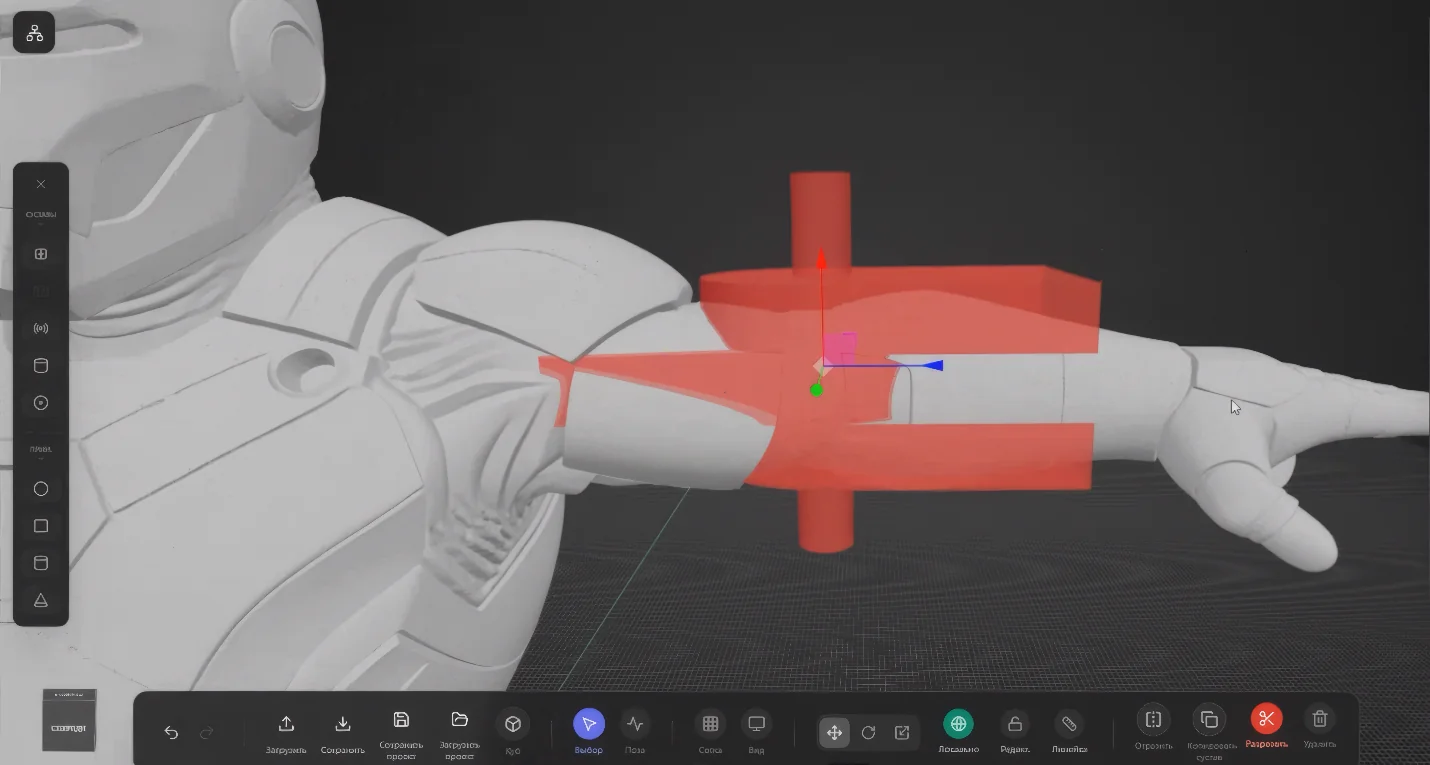
If you already have a 3D model, the next step can be harder than the generation itself: preparing it for printing as a movable figure with separate parts and joints — not a static one-piece object. Riggable is the tool inside the AIPRINTGEN ecosystem built exactly for that.
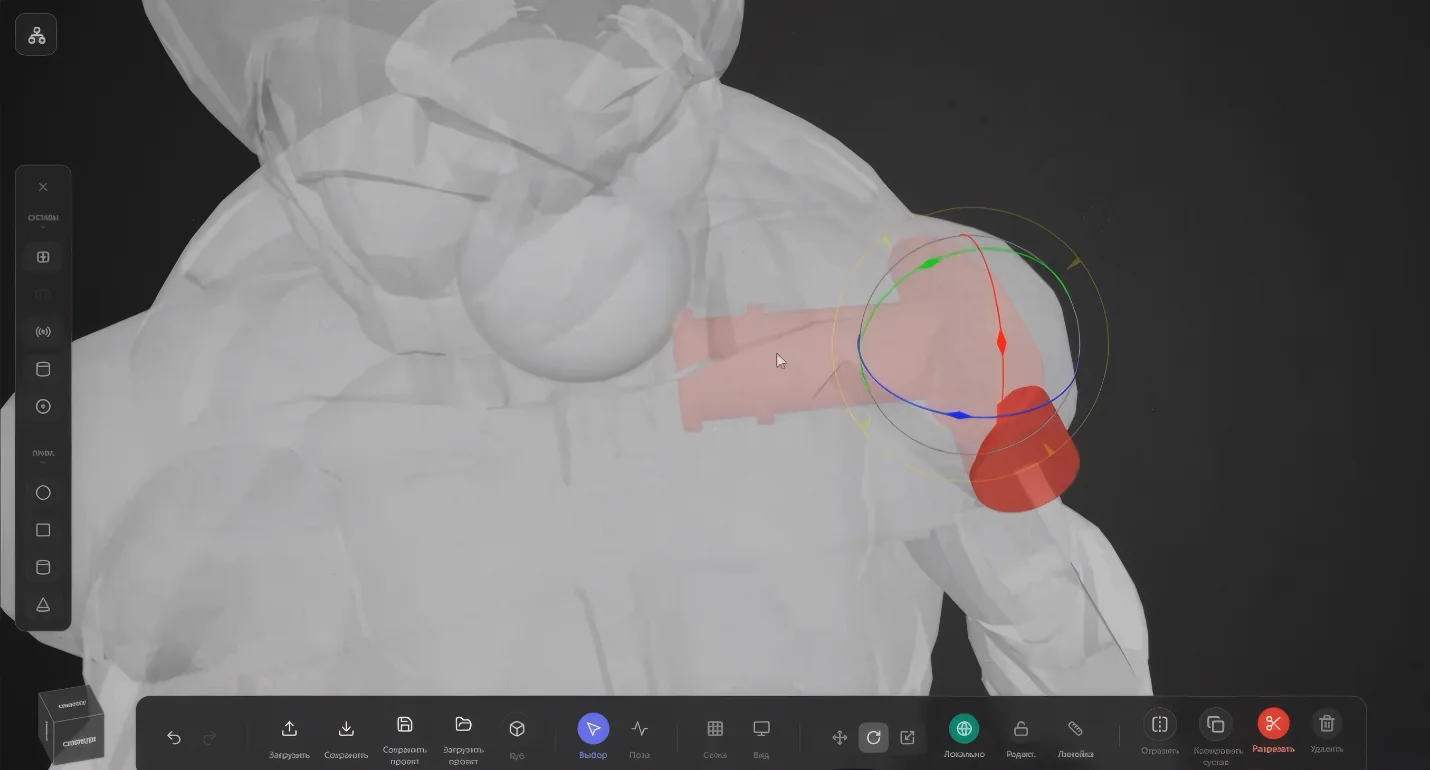
Riggable takes a finished STL or OBJ model, splits it into parts, and adds connections between them. The result is a set of 3D-printable pieces — body, arms, legs, head, accessories and other elements of the future figure.
What is Riggable
Riggable is a tool for preparing 3D models for printing as articulated figures. It does more than just display a model on screen — it helps you take a model into a more involved production scenario: cut the model into pieces, design the joints, and export parts for printing.
The service works with STL and OBJ, supports project saving, and lets you come back to your work in stages. Handy when a model is complex and needs multiple passes to split correctly.
Important: Riggable is not a "magic button" that automatically turns any model into a perfect toy. It is an advanced tool for power users that noticeably reduces manual work, but does not remove the need to check geometry, wall thickness, the quality of the cuts, and the model's printability.
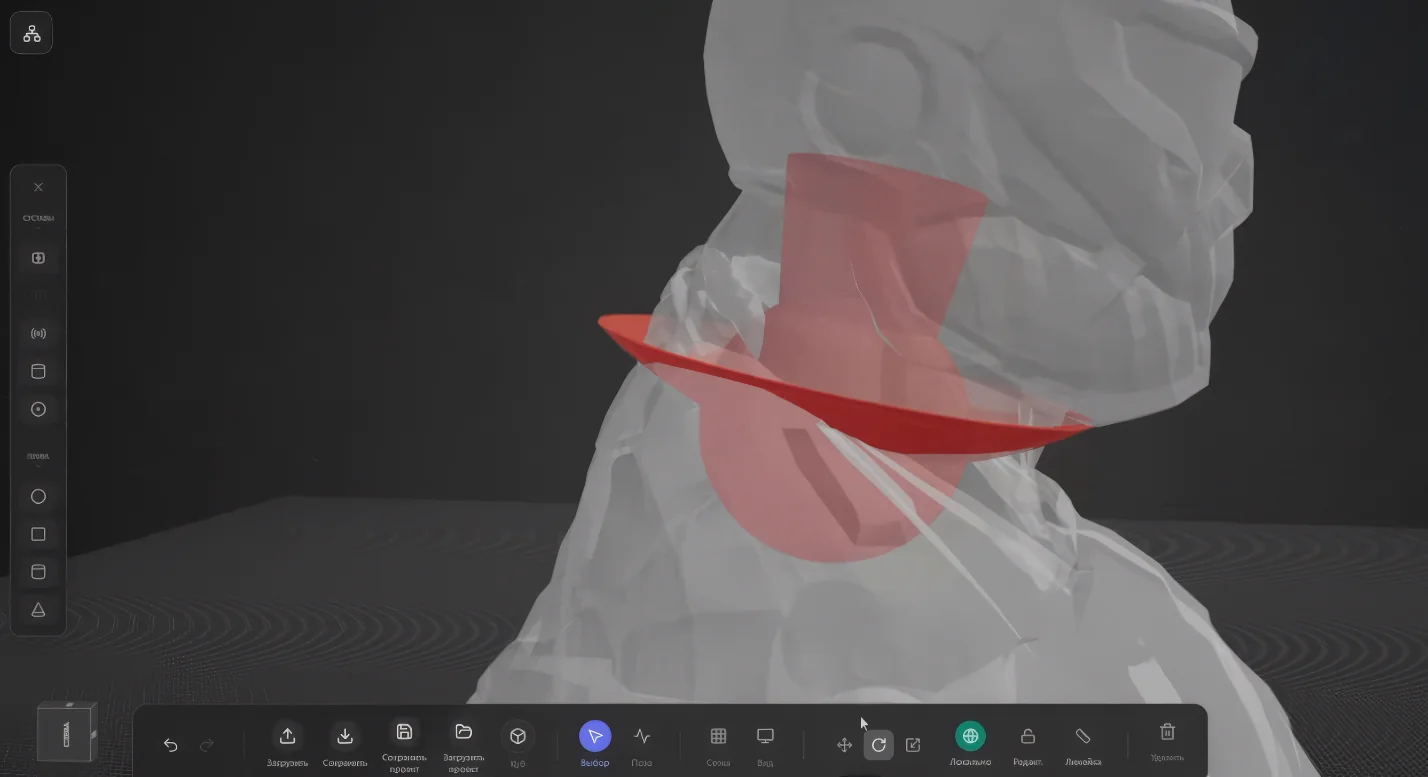
What Riggable is good for
Riggable is useful for anyone who wants to move from a static model to a physical figure with movable elements. This is especially relevant for characters, miniatures, mascots, robots, collectibles and any object where separate parts and connections matter.
With Riggable you can:
- split a single 3D model into separate parts;
- add joints and hinges between elements;
- use different connection types;
- save a project and return to it later;
- export the prepared parts for 3D printing.
This workflow fits models you can generate from a photo, text, or multiple views in AIPRINTGEN. First you get a base 3D model — then you can prepare it for printing as a more complex physical object.
Which joint types are supported
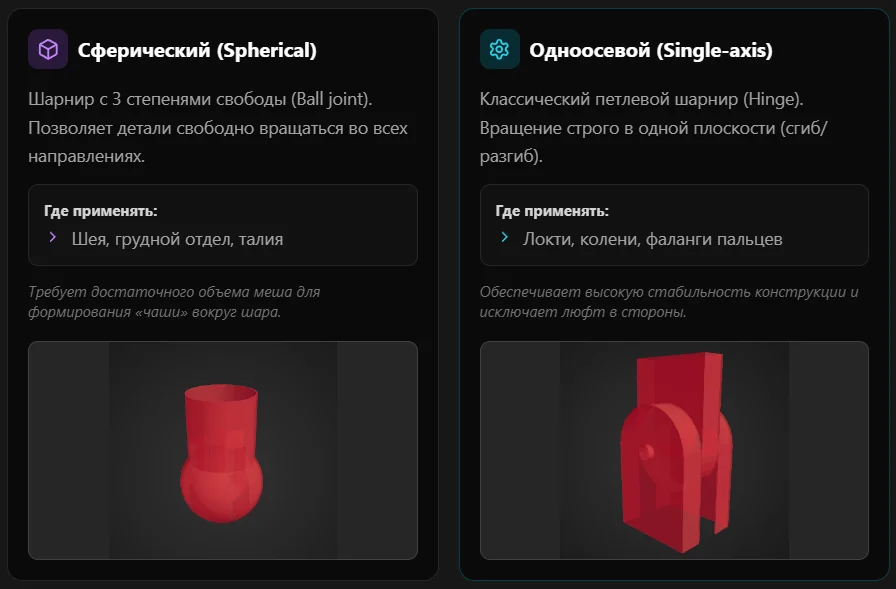
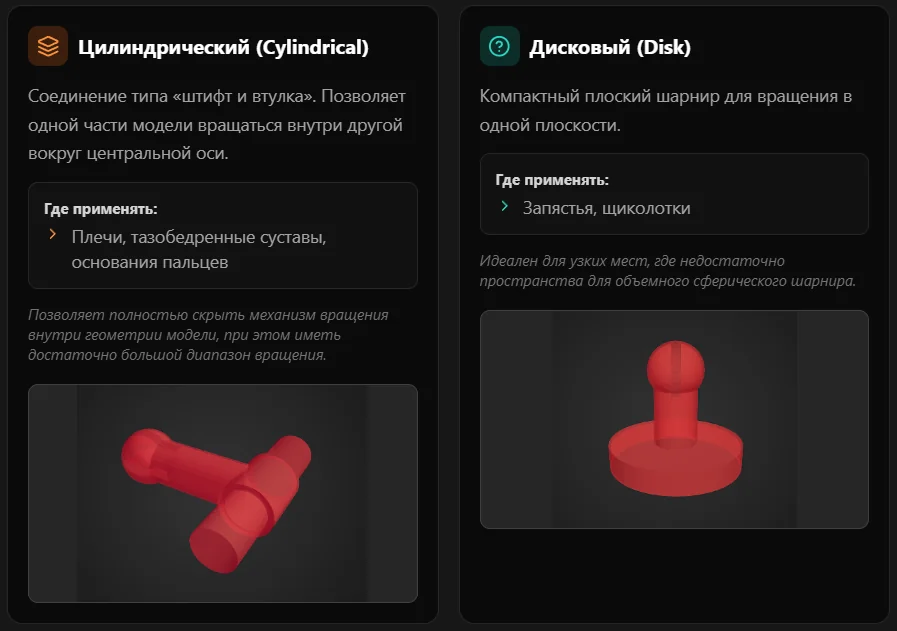
Riggable supports several joint types, each adapted to different motion and assembly scenarios:
- single-axis joint;
- spherical joint;
- cylindrical joint;
- disc joint.
The right connection type depends on the model's shape, the expected movement, the part size and the printing technology. For example, one type may suit arms and legs, while another works better for a head, torso, or accessories.
How to prepare a model for printing
The workflow usually looks like this:
- Create a 3D model from text or from an image in AIPRINTGEN, or upload a ready STL/OBJ file.
- Open the model in Riggable.
- Split the monolithic shape into the individual parts of the future figure.
- Add suitable joint types between the parts.
- Check the geometry, joint placement and motion logic.
- Export the prepared parts for printing.
- Verify the files in your slicer and move on to printing.
For example, if you want to make a character articulated, Riggable helps prepare arms, legs, torso, head and other zones as separate elements. The model can then be printed in pieces, finished and assembled. No model yet? Start with a generation or pick one from the catalog of 3D models for printing.
Which models suit Riggable best
Riggable works best with models that have a clear structure: characters, animals, robots, gaming miniatures, collectibles, and objects with distinct limbs or segments.
The cleaner the source geometry, the easier it is to prepare a model for printing. If the model has very thin details, intersections, complex overhangs or unclear anatomy, additional cleanup in a 3D editor may be needed.
What to keep in mind
Riggable speeds up model preparation, but the final result still depends on the quality of the source file. Before printing, check:
- that parts are thick enough;
- that there are no mesh geometry errors;
- that the cut locations are sensible;
- that joints do not block assembly;
- that joint sizes match the chosen print technology;
- that the model opens correctly in your slicer.
This matters especially for miniatures and small figures, where even a small error in a connection size can affect assembly.
How to access Riggable in AIPRINTGEN
Riggable access is granted to AIPRINTGEN monthly-plan users via a promo code. After buying a monthly plan, you receive an email with the promo code and accompanying instructions.
If you already create models in AIPRINTGEN and want to move from static objects to articulated figures, Riggable extends the workflow — from the idea and model generation to preparing pieces for 3D printing. See the AIPRINTGEN plans page for details.
Frequently asked questions
Can any 3D model be turned into an articulated figure?
Not any one. Models with a clear structure and adequate wall thickness work best. Complex or damaged models may need manual cleanup.
Which formats does Riggable support?
Riggable works with STL and OBJ. These are the formats commonly used for preparing models for 3D printing.
Does Riggable fully replace a 3D modeller?
No. Riggable speeds up joint creation and part splitting, but does not remove the need to check geometry and prepare the model for printing.
Is Riggable suitable for miniatures?
Yes, especially when you need to prepare a character, figure or collectible model with separate movable parts.
Should I verify the model before printing?
Yes. After exporting the parts, you should verify the model in a slicer and, if needed, tune print parameters or geometry.
Summary
Riggable helps take the next step after generating a 3D model: preparing it for printing as an articulated figure. This is especially useful for users who create characters, miniatures, figures and other models for physical production.
Create a 3D model in AIPRINTGEN, prepare it in Riggable, and move from a digital file to a finished articulated figure for 3D printing.
 Our community