Plans Model Catalog Pet3D Free masterclass Our course

Mechanic Workbench 3D Asset for Game Engine Levels

Mechanic Workbench is a game ready industrial 3D model built for game development. Calibrated proportions, PBR shading layers, and clean topology make the fixture easy to place, light, and ship in studio or realtime pipelines.

Loading model...

Preview can be downloaded for free. Full quality is available after registration for 1 credit.

Preview is free. Full quality requires registration and 1 credit.
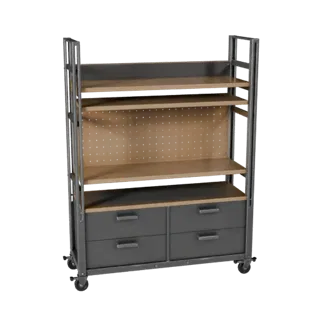
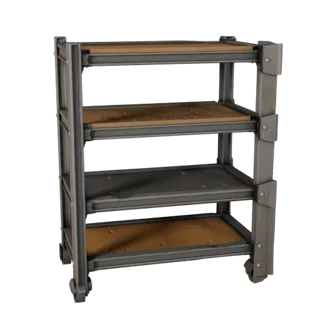
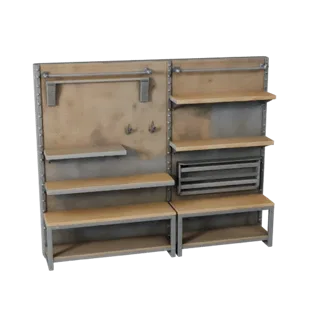
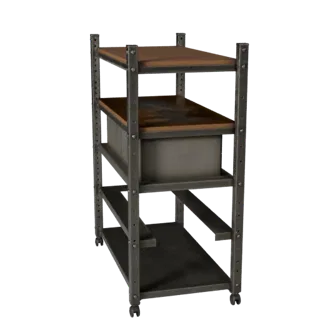
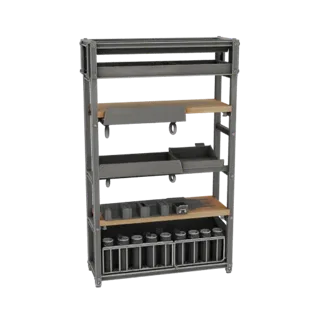
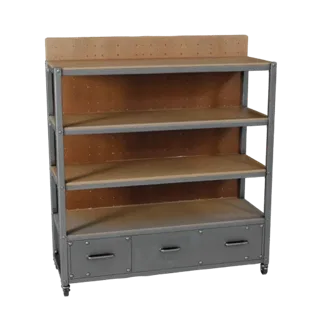
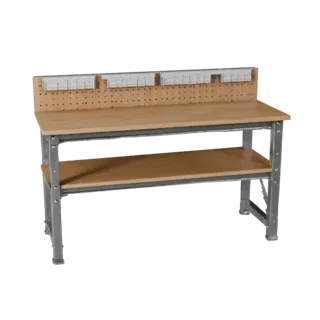
Mechanic Workbench Low Poly 3D model, game viewport three-quarter view, showing steel frames, stable fixtures.
Mechanic Workbench 3D Asset for Game Engine Levels Mechanic Workbench Low Poly 3D model, game viewport three-quarter view, showing steel frames, stable fixtures.

Model details

  • Subcategory Workshop Fixtures
  • Object type Workshop Fixture
  • Production profile Game ready
  • Texture profile Low Poly Steel Frames, Wood Tops, Pegboards, Drawers, Casters And Worn Work Surfaces
  • Setting Workshop
  • Access Free download
Market segments

Description

Overview and production context

Mechanic Workbench ships as a low poly game-ready 3D asset for Unity, Unreal and mobile builds. The game ready build keeps proportions readable, materials editable, and the import path predictable for artists working in Blender, Maya, Cinema 4D, or 3ds Max. Triangle budget is sized for realtime engines and the UVs are packed for single-atlas baking. Vertex normals and pivots are tuned so the fixture drops into Unity or Unreal without LOD pop, and the silhouette reads cleanly at gameplay distance. Whether the fixture sits in a hero shot or a fast layout pass, the Mechanic Workbench reads as the fixture buyers expect: recognizable form, period-appropriate detailing, and clean separation between hard and soft surface groups. UVs, pivots, and material slots follow common production naming so the file slots into existing pipelines without rebuilding shaders.

How to use this model

Use cases, fit and pre-production checks

Mechanic Workbench ships as a low poly game-ready 3D asset for Unity, Unreal and mobile builds. Triangle budget is sized for realtime engines and the UVs are packed for single-atlas baking. Vertex normals and pivots are tuned so the fixture drops into Unity or Unreal without LOD pop, and the silhouette reads cleanly at gameplay distance. On the game ready version of Mechanic Workbench the surface chain is split into distinct material groups so artists can rebalance shading without unwrapping again. Pivots sit at the natural resting plane of the fixture, and naming follows familiar studio conventions, which keeps batch-import scripts simple. Tabletop, hero, and layout compositions all benefit from the calibrated scale of the asset. In short, Mechanic Workbench is built so artists can place it, light it, and ship it without renegotiating its scale, shading, or hierarchy.

FAQ

Answers for this exact model page
Is Mechanic Workbench suitable for Unity, Unreal, or mobile games?
Mechanic Workbench is aimed at realtime use, so the practical value is a clear silhouette, efficient material layout, and readable mechanic workbench silhouette and mechanic workbench proportions. FBX and OBJ are useful transfer formats, while Blender files help with edits. Use the asset in a test scene first to tune scale, collisions, and LOD behavior.
Can Mechanic Workbench use FBX and OBJ in engine workflows?
Mechanic Workbench is most practical as FBX or OBJ for engine transfer, with Blender available for UV, material, or scale changes. Unity and Unreal imports should preserve mechanic workbench silhouette and mechanic workbench proportions without adding heavy geometry. GLB can work for lightweight viewer previews when materials are compact.
How does Mechanic Workbench differ from nearby assets?
The first read should come from mechanic workbench silhouette and mechanic workbench proportions, with top thickness and support frame adding the supporting detail that separates Mechanic Workbench from nearby downloads. Painted metal and steel should remain visible in preview lighting and after import. In a larger scene, keep the silhouette and main material groups recognizable at normal camera distance.
Can teams use Mechanic Workbench in production work?
Mechanic Workbench can be used in games work when the attached license allows that use. For factory layouts, the license defines client delivery, redistribution, resale, and derivative-work limits. Teams should align attribution, client handoff, and source-file sharing rules before publishing or delivering the asset.